


Myth or Fact? Using Screens Permanently Damages Your Eyes

In today’s digital world, screens have become an unavoidable part of everyday life. From smartphones and laptops to tablets and televisions, most people spend several hours each day using digital devices. With this increased screen exposure, a common concern has emerged: can spending too much time looking at screens permanently damage your eyes? Many people believe that screens can weaken eyesight or cause long-term vision problems, but this idea is often based on misunderstanding rather than scientific evidence.
The truth is more reassuring. While extended screen use can cause temporary symptoms such as eye strain, dryness, headaches, and blurred vision, there is no strong evidence that normal screen use permanently damages the structure of your eyes. These symptoms are usually linked to digital eye strain, which occurs when your eyes work continuously without enough breaks or proper viewing habits.
Understanding the difference between temporary discomfort and permanent eye damage is important. By following healthy screen habits, taking regular breaks, maintaining proper screen distance, and caring for your overall eye health, you can use digital devices comfortably without unnecessary worry. In this article, we will explore the facts behind screen use, clear up common myths, and explain what you can do to protect your vision in a screen-focused world.
Why People Worry About Screens
If you are like most people today, a large portion of your day is spent looking at screens, whether on your phone, laptop, tablet, or television. With this constant exposure, it’s natural to wonder whether screens are quietly causing permanent damage to your eyes. Over time, this concern has grown into a widely believed idea, often fueled by misunderstandings and repeated assumptions rather than clear scientific evidence.
The discomfort many people experience after long hours of screen use, such as dryness, eye strain, headaches or blurred vision, can make this fear feel very real. These symptoms are commonly linked to digital eye strain, a temporary condition caused by reduced blinking, prolonged focus, and poor viewing habits. Factors like screen glare, improper lighting, and incorrect posture can further increase this discomfort, making it seem more serious than it actually is.
In this article, you will discover what truly happens to your eyes during extended screen use and how to separate facts from myths. Understanding this difference helps you adopt simple, healthy habits that reduce eye strain and support long-term eye health. Instead of worrying about permanent damage, you can make informed decisions that support long-term eye health while continuing to use digital devices confidently in your daily life.
What Happens When You Use Screens for Long Periods?
It is important to understand that screens do affect your eyes, but not in the way many people fear. The primary issue linked to prolonged screen use is digital eye strain, not permanent damage. This condition develops when your eyes become overworked after extended periods of focusing on screens, especially when you don’t take regular breaks or maintain proper viewing habits during your daily routine.
Digital eye strain can be compared to the fatigue your body feels after physical effort, such as standing or walking for long hours. When your eyes are continuously focused at the same distance, the muscles responsible for maintaining that focus remain active for too long. This can lead to common symptoms such as tired or burning eyes, blurred vision, headaches, and difficulty concentrating on tasks.
Although these symptoms can feel concerning, they are usually temporary and not a sign of lasting harm. In most cases, your eyes recover quickly once you rest them or shift your focus away from screens. By understanding this, you can avoid unnecessary worry and instead focus on simple habits that reduce strain and keep your eyes comfortable throughout the day.
Myth: Screens Cause Permanent Eye Damage
This is one of the most common misconceptions you may come across. Many people believe that staring at screens for long periods will permanently damage their eyesight over time. This idea often comes from the discomfort people feel after extended use, rather than from actual scientific evidence about lasting harm or structural changes in the eyes.
In reality, there is no strong scientific evidence to support the claim that screens cause permanent damage to your eyes. The symptoms you experience, such as blurred vision, dryness, or fatigue are usually temporary and related to overuse rather than long-term deterioration. These effects are part of digital eye strain and are influenced by factors like reduced blinking, screen glare, and prolonged focus at a single distance.
Once your eyes are given proper rest, these symptoms typically improve, and your vision returns to normal. Understanding this can help you avoid unnecessary fear and focus instead on healthy screen habits. By taking regular breaks and adjusting your viewing conditions, you can keep your eyes comfortable without worrying about permanent damage from everyday screen use.
Evidence Note: Digital Eye Strain Is Not the Same as Permanent Eye Damage
Digital eye strain describes a group of visual, ocular and sometimes musculoskeletal symptoms associated with prolonged digital-device use. These can include tired or sore eyes, dryness, burning, watering, temporary blur, headaches and neck or shoulder discomfort.
Some symptoms are linked to sustained close focusing and eye coordination. Others result from reduced or incomplete blinking, which can disturb the tear film and make the eye surface feel dry or gritty.
These symptoms do not usually mean that a screen has injured your retina or permanently weakened your eyesight. However, symptoms can become frequent or persistent, particularly if you have an uncorrected prescription, dry-eye disease, a binocular-vision problem or an unsuitable workstation.
Rest and ergonomic adjustments may improve symptoms, but ongoing pain, blur or dryness requires an eye examination rather than repeated self-treatment.
Blue Light, Screens and Sleep
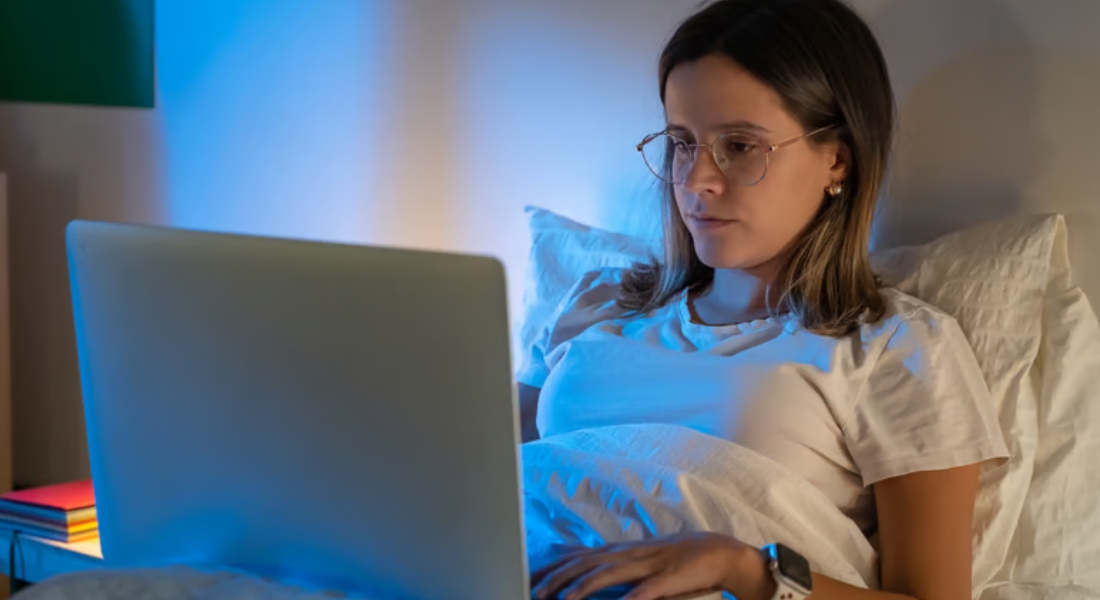
Blue light is a natural part of visible light and is present not only in digital screens but also in daylight. If you are concerned that using a phone, tablet or computer will permanently damage your eyes, current evidence is reassuring. The level of blue light emitted by consumer screens has not been shown to cause permanent retinal damage in healthy eyes.
Although blue light from screens is not known to harm your retina, using screens late in the evening can still affect your sleep. The timing of screen use, screen brightness, overall light exposure and stimulating content may delay your ability to fall asleep or disrupt your normal sleep routine. If you use screens shortly before bed, you may find it more difficult to relax and fall asleep.
You can support better sleep by reducing your screen brightness, using a warmer evening display setting and avoiding prolonged screen use immediately before bedtime. These measures are intended to improve your sleep rather than protect your retina. If you are considering blue-light-filtering glasses, current research does not show that they consistently reduce digital eye strain, improve visual performance, protect macular health or reliably improve sleep for most people.
Myth vs Fact: Screens and Your Eyes
| Myth | Fact |
| Normal screen use permanently damages the retina. | Current evidence does not show that ordinary use of phones, computers, tablets or televisions causes permanent retinal damage in healthy eyes. |
| Eye strain means that permanent damage is occurring. | Digital eye strain usually describes temporary or recurring symptoms involving focusing, eye coordination, blinking and the tear film. |
| Screens can never affect long-term vision. | Screens are not known to burn or structurally weaken healthy eyes, but higher digital-screen exposure has been associated with childhood myopia. |
| Screens directly cause every case of short-sightedness. | Myopia is influenced by genetics, eye growth, near work, outdoor exposure and other factors. Screen-time evidence shows association rather than proof of one direct cause. |
| Blue light from screens causes macular degeneration. | Normal consumer-screen exposure has not been shown to cause macular degeneration or permanent retinal damage. |
| Blue-light glasses are essential for computer users. | Evidence does not show a consistent reduction in digital eye strain, improved visual performance or macular protection from these lenses. |
| All screen-related dryness disappears after a short break. | Symptoms are often temporary, but screens can aggravate persistent dry-eye disease and may require professional assessment. |
| A brighter screen is always easier on the eyes. | Excessive brightness and glare can increase discomfort. Screen brightness should be comfortable in relation to the surrounding environment. |
| There is one correct viewing distance for every device. | Desktop screens are usually positioned farther away than phones or tablets. Text size, posture and visual comfort are more useful than one rigid rule. |
| The 20-20-20 rule prevents every screen-related problem. | It is a practical reminder to take breaks, but it does not replace an accurate prescription, dry-eye treatment or medical assessment. |
Children, Screens and Myopia
Many parents worry that screens may permanently damage their child’s eyesight. While ordinary screen viewing does not burn or physically damage your child’s eyes, research has shown that spending more time on digital devices is associated with a greater likelihood of developing childhood myopia, also known as short-sightedness.
This does not mean that screens alone directly cause myopia. Instead, screen use is linked with several other factors, including prolonged near work, increased educational demands and spending less time outdoors. Phones and tablets may place greater visual demands on your child’s eyes than televisions because they are usually held much closer to the face and are often used continuously for longer periods.
You can support your child’s eye health by encouraging a comfortable viewing distance, regular breaks during screen use and plenty of time outdoors each day. If your child frequently squints, sits unusually close to screens, holds devices very close, complains of headaches or struggles to see the classroom board, you should arrange a comprehensive eye examination. Early assessment helps identify vision problems and allows your child to receive appropriate advice or treatment if needed.
Blue Light and Eye Health
You have likely heard concerns about blue light and how it might affect your eyes. Many people assume it is harmful and directly causes damage, but this idea is often misunderstood. Blue light is simply a type of high-energy visible light that comes from both digital screens and natural sources like sunlight, making it a normal part of your daily environment.
In reality, you are exposed to far more blue light from the sun than from your digital devices. Current research shows that blue light emitted by screens does not cause permanent damage to your eyes. The discomfort people sometimes associate with it is usually linked to prolonged screen use rather than the blue light itself, which can make the issue seem more serious than it actually is.
However, blue light may still play a role in digital eye strain and can affect your sleep cycle. Using screens late at night can interfere with your body’s natural sleep rhythm by reducing melatonin production, making it harder to fall asleep. Limiting screen use before bedtime and using night mode settings can help reduce these effects and improve comfort.
Why Your Eyes Feel Dry After Screen Use
If your eyes feel gritty or irritated after using a screen, you are not imagining it. This is a very common experience, especially during long periods of focused screen use. The discomfort you notice is closely linked to how your eyes behave differently when you concentrate on digital devices for extended periods without giving them enough rest.
You normally blink regularly to spread tears across the surface of your eyes. When you concentrate on a screen, you may blink less frequently or less completely, which can disturb the tear film and contribute to dryness, redness or a gritty sensation.
Over time, this lack of proper lubrication can create a persistent feeling of discomfort or fatigue in your eyes. Screen-related dryness is often temporary, but persistent or recurrent symptoms may indicate dry-eye disease or another ocular-surface problem. Arrange an eye examination if discomfort continues despite regular breaks, blinking and environmental adjustments.
The Connection Between Screens and Headaches
You may notice that spending long hours in front of a screen can lead to headaches, which is a common symptom of digital eye strain. This usually happens when your eyes are overworked from continuous focus, especially if you are not taking regular breaks or maintaining proper viewing conditions during your daily routine. The longer your eyes stay fixed on a screen, the more strain begins to build.
Headaches during or after screen use may be associated with prolonged close focusing, glare, an uncorrected prescription, poor posture, neck or shoulder tension, migraine or a combination of these factors. Poor posture, such as leaning too close to the screen, and factors like glare or improper lighting can make this discomfort worse over time. These combined effects can increase both eye fatigue and overall physical strain.
The good news is that these headaches are usually temporary and not a sign of permanent damage. With simple changes such as taking frequent breaks, improving posture and adjusting screen brightness, you can significantly reduce discomfort. Giving your eyes time to relax helps relieve tension and allows you to return to screen use more comfortably.
The 20-20-20 Rule Explained
The 20-20-20 rule is a simple reminder to look away from your screen regularly. It suggests that every 20 minutes, you look at something approximately 20 feet away for at least 20 seconds.
This brief change of focus may help some people feel more comfortable during prolonged close work. However, the rule is not a guaranteed treatment for digital eye strain and does not replace an accurate glasses prescription, appropriate dry-eye management, suitable lighting or a professional eye examination.
You do not need to follow the timing rigidly. The more important principle is to take short, regular visual and movement breaks rather than remaining in one position and focusing at the same distance for long uninterrupted periods.
Comfortable Screen Setup for Different Devices
| Device | Suggested setup | Common source of discomfort | Practical adjustment |
| Desktop monitor | Position the monitor approximately an arm’s length away, with the top of the screen at or slightly below eye level. | Leaning forwards, glare, small text or a screen positioned too high may increase eye, neck and shoulder discomfort. | Enlarge the text, adjust the chair and monitor height and position the screen to reduce reflections. |
| Laptop | Place the laptop far enough away to read comfortably without bending your neck or leaning towards it. | The attached keyboard can make it difficult to maintain both a comfortable screen height and a relaxed typing position. | For prolonged work, consider using a laptop stand with an external keyboard and mouse. |
| Tablet | Hold or support the tablet at a comfortable distance and angle rather than keeping it very close to your face. | Looking down for long periods and using small text may contribute to visual and neck fatigue. | Increase the font size, use a stand and change position regularly during longer sessions. |
| Smartphone | Avoid holding the phone extremely close for prolonged periods. | Small text, continuous scrolling and prolonged near focus may increase visual fatigue. | Enlarge text, limit uninterrupted use and look into the distance periodically. |
| Television | Watch from a distance at which the picture is comfortably clear without squinting. | A very bright screen in a dark room may create uncomfortable contrast. | Use soft ambient lighting and adjust the television brightness to suit the room. |
| Multiple screens | Position the screen used most frequently directly in front of you and keep other screens at a similar height and distance where possible. | Repeated head turning and frequent changes between different viewing distances may contribute to discomfort. | Arrange screens to minimise twisting and increase the text size across all displays. |
| Any digital display | Keep the screen clean and select a brightness and contrast level that feels comfortable in the surrounding environment. | Dust, fingerprints, reflections and excessive brightness can make content harder to view comfortably. | Reduce reflections, use appropriate room lighting and take regular visual and movement breaks. |
Do Blue-Light Glasses Help with Digital Eye Strain?
Blue-light-filtering glasses are widely marketed to people who spend long periods using digital devices. However, current evidence does not show that they consistently reduce digital eye strain, improve visual performance, protect the retina or improve sleep compared with standard lenses.
You do not need blue-light-filtering glasses to protect healthy eyes from ordinary screen use. If you experience discomfort, measures such as correcting an outdated prescription, taking regular breaks, increasing text size, reducing glare, blinking fully and improving your workstation are more likely to address the underlying cause.
You may still choose blue-light-filtering lenses as a personal preference, but they should not be presented as a proven treatment or as essential protection against screen-related eye damage.
When to Be Concerned About Your Eyes

Screens do not usually cause permanent eye damage, but it is important to pay attention to ongoing changes in how your eyes feel. Temporary discomfort after long screen use is common and often improves with rest or simple adjustments. Persistent or worsening symptoms may need professional assessment.
- Persistent Blurred Vision: Ongoing difficulty seeing clearly may suggest a change in vision or another eye condition.
- Frequent Headaches: Regular headaches during or after screen use may be linked to focusing problems or eye strain.
- Dryness or Eye Pain: Continued dryness, irritation, or pain may indicate dry eye or another underlying issue.
- Difficulty Focusing: Trouble focusing even after taking breaks may require an eye examination.
Overall, occasional screen-related discomfort is common, but symptoms that continue or worsen should not be ignored. A professional eye examination can help identify the cause and ensure you receive the right advice or treatment. Early assessment can support better visual comfort and long-term eye health.
How Screen Distance Affects Your Eyes
The distance between your eyes and your screen plays an important role in how comfortable your eyes feel during digital device use. When you hold a phone too close or sit too near a computer screen, your eyes need to work harder to maintain focus. This increased focusing effort can contribute to temporary eye strain, especially when you spend several hours using a device without taking breaks.
Maintaining an appropriate viewing distance allows your eyes to focus more naturally and reduces unnecessary stress on the muscles responsible for clear vision. For most screens, keeping your device about an arm’s length away is a helpful guideline. You should also avoid bringing smaller screens too close to your face for long periods, as this can increase discomfort and fatigue.
If symptoms continue after taking breaks and improving your screen setup, arrange a comprehensive eye examination. Persistent symptoms may be related to an uncorrected prescription, dry-eye disease, migraine or another eye or general health condition rather than screen use alone.
Why Your Eyes Need Regular Breaks from Digital Devices
Your eyes are designed to shift focus between different distances throughout the day, but prolonged screen use can limit this natural movement. When you spend hours looking at a phone, computer, or tablet, your eyes remain focused on a nearby object for an extended period. This continuous effort can cause temporary fatigue, dryness, and discomfort, making regular breaks an important part of healthy screen habits.
Taking short breaks allows the muscles involved in focusing to relax and gives your eyes time to recover from constant near work. Simple practices, such as looking away from your screen every few minutes or following the 20-20-20 rule, can help reduce digital eye strain. These small pauses also encourage more frequent blinking, which helps maintain proper eye moisture.
Regular breaks are especially important if your daily routine requires long hours of screen use for work, study, or entertainment. By giving your eyes time to rest, you can improve comfort and reduce the chances of experiencing headaches, tired eyes, or temporary blurred vision. Healthy screen habits allow you to continue using digital devices while supporting better long-term eye comfort.
Simple Daily Habits to Reduce Digital Eye Strain
Developing healthy screen habits can make a significant difference in how comfortable your eyes feel during daily digital use. While screens themselves do not permanently damage your eyes, the way you use them can influence eye strain and overall comfort. By making small adjustments to your routine, you can continue using digital devices while reducing unnecessary stress on your eyes.
One of the most effective habits is taking regular breaks throughout the day. Following the 20-20-20 rule, adjusting your screen brightness, reducing glare, and keeping your screen at a comfortable distance can help your eyes relax. Try to blink more often while using screens, as focused screen use naturally reduces blinking and contributes to dryness.
Creating a comfortable environment is equally important. Keeping your screen clean, maintaining good posture, and using proper lighting can reduce strain and make screen use easier on your eyes. Balancing screen time with outdoor activities and regular eye examinations can also support long-term eye health.
How to Reduce Eye Strain from Screens
There are several practical steps you can follow to keep your eyes comfortable during daily screen use. Small, consistent habits can make a significant difference in reducing strain and improving how your eyes feel, especially if you spend many hours working on computers, smartphones, or other digital devices. Building these habits into your routine can help support better eye comfort over time.
Taking regular breaks, adjusting your screen brightness, and making an effort to blink more often can help reduce common symptoms of digital eye strain. Maintaining a comfortable viewing distance and using proper lighting can also prevent unnecessary stress on your eyes. These simple adjustments allow your eyes to relax and recover during extended periods of screen use.
Keeping your screen clean is another easy step that can improve clarity and reduce glare caused by dust or fingerprints. Although these changes may seem small, they can create a more comfortable viewing experience throughout your day. By practicing healthy screen habits consistently, you can reduce discomfort and support your overall eye health while continuing to use digital devices.
The Role of Regular Eye Tests

Even if screens are not permanently damaging your eyes, regular eye examinations remain essential for maintaining healthy vision. Eye tests can help detect underlying problems early and ensure that your vision prescription is accurate. Wearing the correct prescription, when needed, can reduce unnecessary effort and prevent additional strain during daily activities, including prolonged screen use.
You should consider scheduling routine eye check-ups, especially if you spend many hours working on computers, using smartphones, or engaging in other digital activities. Regular examinations allow eye professionals to monitor changes in your vision and identify potential concerns before they become more serious. This proactive approach helps you stay aware of your eye health and make timely adjustments when needed.
Maintaining good vision requires more than simply reducing screen time. A combination of healthy screen habits, proper eye care, and regular professional evaluations can support long-term eye comfort and clarity. By making eye examinations a regular part of your healthcare routine, you can protect your vision and continue using digital devices with greater confidence and comfort.
UK Eye-Test Guidance
The NHS recommends that most people have their eyes tested every two years, or more frequently if advised by their optometrist or ophthalmic practitioner.
An eye examination checks more than whether your glasses prescription has changed. It may identify dry-eye disease, eye-coordination problems or eye conditions that are unrelated to screen use.
Arrange an earlier assessment if symptoms are persistent, worsening or affecting work, reading, driving or everyday activities.
Key Takeaways:
- Ordinary screen use is not known to cause permanent structural damage to healthy eyes.
- Prolonged device use can cause digital eye strain, dry-eye symptoms, temporary blur and headaches.
- Digital eye strain can involve sustained close focusing, binocular stress and reduced or incomplete blinking.
- Screen use can aggravate persistent dry-eye disease rather than causing only brief discomfort.
- Consumer-screen blue light has not been shown to cause permanent retinal damage.
- Blue-light-filtering glasses are not routinely proven to reduce eye strain or protect macular health.
- Evening screen light and stimulating content may interfere with sleep.
- Higher digital-screen exposure is associated with childhood myopia, but this does not prove that screens alone directly cause it.
- Regular outdoor time may reduce or delay the onset of childhood myopia.
- Position desktop screens around 40–75 cm away and at or slightly below eye level.
- Take regular visual and movement breaks and blink consciously during prolonged screen use.
- The NHS generally recommends an eye examination every two years, or sooner when symptoms develop.
FAQs:
- Can looking at screens permanently damage my eyes?
No, looking at screens does not permanently damage your eyes. Prolonged screen use can cause temporary problems such as digital eye strain, dryness, headaches, and blurred vision, but there is currently no strong evidence that screens cause permanent structural damage to healthy eyes. - Why do my eyes feel tired after using screens for a long time?
Your eyes can feel tired because they are constantly focusing at a close distance while you use digital devices. Screen use also reduces your blink rate, which can lead to dryness and irritation. Taking regular breaks and blinking more often can help reduce discomfort. - What is digital eye strain?
Digital eye strain, also known as computer vision syndrome, refers to a group of temporary symptoms caused by prolonged screen use. These symptoms can include tired eyes, dry eyes, blurred vision, headaches, and difficulty focusing after spending extended periods looking at digital devices. - Does blue light from screens harm my eyes?
Blue light from screens does not appear to cause permanent eye damage. However, exposure to blue light in the evening may affect sleep patterns, and some people may experience discomfort or eye fatigue after extended screen use. - Can screens make my eyesight worse?
Screens themselves do not directly make your eyesight worse. However, spending excessive time on close-up activities and reducing outdoor time, especially in children may contribute to the development or progression of short-sightedness (myopia). - How can I prevent eye strain from using screens?
You can reduce eye strain by following the 20-20-20 rule, adjusting your screen brightness, keeping your screen at a comfortable distance, reducing glare, and taking regular breaks. Remembering to blink frequently can also help prevent dry eyes. - Should I wear blue light glasses when using screens?
Blue light glasses may improve comfort for some people, but they are not proven to prevent eye damage caused by screens. Some people prefer wearing blue-light-filtering lenses, but current research has not consistently shown that they reduce digital eye strain or improve visual performance. - Why do my eyes become dry when I use my phone or computer?
When you concentrate on a screen, you naturally blink less often. Fewer blinks mean your eyes receive less moisture, which can cause dryness, redness, irritation, and a gritty sensation. - How long should I use screens before taking a break?
There is no fixed maximum screen time for adults, but regular breaks are important. The 20-20-20 rule is a simple approach: every 20 minutes, look at something around 20 feet away for at least 20 seconds to relax your eyes. - When should I see an eye specialist about screen-related symptoms?
You should consider seeing an eye specialist if you experience persistent blurred vision, ongoing eye pain, severe dryness, frequent headaches, or symptoms that continue even after reducing screen time and improving your habits. A professional eye assessment can identify any underlying issues and recommend suitable treatment.
Final Thoughts:
Current scientific evidence does not show that the normal use of computers, phones, tablets or televisions permanently damages the structure of healthy eyes. The tiredness, dryness, temporary blur and headaches that can follow prolonged device use are more commonly associated with digital eye strain. These symptoms should still be taken seriously when they are frequent or persistent. Screen use can aggravate dry-eye disease, expose an outdated prescription or make an existing focusing or eye-coordination problem more noticeable.
Healthy screen use involves regular breaks, appropriate text size, comfortable lighting, a suitable viewing distance and conscious blinking. Children should also balance close screen work with regular outdoor activity. Blue-light-filtering spectacles are not routinely necessary for protecting your eyes from screens. Evening screen habits may affect sleep, but this is different from permanent retinal damage. If you have persistent screen-related symptoms or concerns about your eyesight, you can contact us at the team at Eye Clinic London to arrange a comprehensive eye examination.
References:
- Kaur K, Gurnani B, Nayak S et al. (2022). Digital Eye Strain: A Comprehensive Review. Ophthalmology and Therapy. Available at: https://pubmed.ncbi.nlm.nih.gov/35809192/
- Pavel IA et al. (2023). Computer Vision Syndrome: An Ophthalmic Pathology of the Modern Era. Available at: https://www.mdpi.com/1648-9144/59/2/412
- Dessie A et al. (2022). Computer Vision Syndrome and Associated Factors Among Computer Users. Journal of Environmental and Public Health. Available at: https://pmc.ncbi.nlm.nih.gov/articles/PMC8943996/
- Mylona I et al. (2022). The Impact of Digital Screen Time on Ocular Health and Symptoms. Available at: https://pmc.ncbi.nlm.nih.gov/articles/PMC9743027/
- Yamane K et al. (2024). Work-related Factors and Digital Eye Strain Among Employees. Journal of Occupational Health. Available at: https://academic.oup.com/joh/article/68/1/uiaf073/8385317