


Latest Research on Digital Eye Strain in Children

Digital device use has increased dramatically among children over the past decade. Smartphones, tablets, laptops, and educational screens are now part of daily learning, entertainment, and communication. As a parent or caregiver, you may notice that your child spends much more time on screens than children did in the past. This growing exposure has raised concerns about how prolonged screen use may affect the developing visual system.
Digital eye strain, sometimes called computer vision syndrome, refers to a group of symptoms that can develop after extended screen use. Your child may experience blurred vision, headaches, dry eyes, tired eyes, or difficulty focusing after long periods on digital devices. These symptoms can be more noticeable when screen breaks are limited or when lighting, posture, and viewing distance are not ideal. Over time, repeated discomfort may affect your child’s concentration and overall screen tolerance.
Understanding these effects is important because children’s eyes are still developing. By recognising the signs early, you can help your child build healthier screen habits and seek advice if symptoms persist. Educators and clinicians also play an important role in supporting safe screen use, especially as digital learning becomes more common. With the right awareness and guidance, you can help protect your child’s comfort, eye health, and visual development.
Defining Digital Eye Strain
Digital eye strain in children happens when your child’s eyes spend long periods focusing on screens without enough breaks. This can include time spent on tablets, smartphones, laptops, classroom screens, or gaming devices. When screen use continues for too long, your child’s eyes may become tired, dry, or uncomfortable. You may also notice symptoms such as headaches, blurred vision, or difficulty focusing afterwards.
Unlike reading from paper, digital screens often make the eyes work harder. Your child may need to focus more intensely, adjust their eyes more frequently, and keep both eyes working together at close range for longer periods. Poor posture, screen glare, small text, and sitting too close to the device can make these symptoms worse. Over time, these habits may place extra strain on your child’s developing visual system.
Recent studies suggest that some children can experience symptoms even after relatively short periods of screen use, especially if they are more sensitive or already have underlying vision problems. This is why early recognition is important for you as a parent or caregiver. If your child regularly complains of tired eyes, headaches, or blurred vision after screen time, it may be worth arranging an eye examination. Early monitoring can help protect comfort, support healthy visual development, and guide better screen habits.
Prevalence in Modern Populations
Research suggests that digital eye strain is becoming increasingly common among school-aged children. With screens now used for learning, entertainment, and communication, your child may be spending several hours a day focusing on digital devices. Surveys from different countries have found that many children report eye discomfort, tired eyes, headaches, or blurred vision at least occasionally after screen use.
The risk often appears to increase with age, as older children tend to have longer study hours, more homework on screens, and greater use of smartphones or laptops for recreation. As screen time builds throughout the day, your child’s eyes may have fewer opportunities to relax and refocus. This can make symptoms more noticeable, especially in the evening or after long periods of close-up work.
Children with existing vision problems may be more likely to experience digital eye strain. If your child has uncorrected refractive errors, poor eye coordination, or binocular vision difficulties, screen use can place extra demand on their visual system. Regular eye examinations can help identify these issues early and make screen-related symptoms easier to manage.
Impact on Visual Development
Prolonged screen exposure during childhood can raise concerns because your child’s visual system is still developing. When your child spends long periods focusing on close-up digital screens, their eyes have to work harder to maintain clear vision. This can sometimes lead to symptoms such as eye fatigue, blurred vision, and difficulty shifting focus from near to far distances.
One key concern is the possible link between sustained near work and myopia progression, especially in children who are already more susceptible. Some studies suggest that children who spend more time on close-up digital activities may experience faster shifts towards short-sightedness compared with those who spend more time outdoors. Outdoor time appears to give the eyes more opportunity to relax and may support healthier visual development.
Researchers are continuing to explore how screen habits interact with genetics and environmental factors. If your child has a family history of myopia, limited outdoor activity, or heavy daily screen use, their risk may be higher. This is why balanced screen habits, regular breaks, outdoor play, and routine eye examinations are important for protecting your child’s long-term visual health.
Symptoms Beyond the Eyes

Digital eye strain in children is not only about tired or uncomfortable eyes. Your child may also experience headaches, especially after long periods of screen use or close-up focusing. Some children may find it harder to concentrate after extended device use, which can affect learning, homework, and general attention. These symptoms can sometimes be overlooked because they may not always seem directly related to vision.
Screen use can also affect posture, particularly if your child bends forward, looks down at a tablet, or sits too close to a laptop. Over time, this may lead to neck, shoulder, or back discomfort. Poor lighting, glare, and awkward screen positioning can make these problems worse. This is why screen habits and physical comfort need to be considered together.
Managing digital eye strain often means looking beyond the eyes alone. You can help by encouraging regular breaks, better posture, suitable screen distance, and comfortable lighting. It is also useful to watch how your child behaves after screen time, especially if they seem tired, irritable, or less focused. If these symptoms continue, an eye examination can help identify whether vision problems are contributing to the discomfort.
Role of Blink Rate and Dry Eye
Blinking plays an important role in keeping your child’s eyes comfortable and healthy during screen use. When your child looks at a screen for a long time, they may blink less often, which can make the eyes feel dry, tired, or irritated. This is why healthy screen habits are important, especially for children who may not always recognise or explain early symptoms clearly.
- Blinking Protects the Eye Surface: Every blink spreads a fresh layer of tears across the surface of your child’s eyes. This helps keep the eyes moist, clear, and protected from irritation. When blinking is regular, the tear film stays more stable and comfortable.
- Screen Use Can Reduce Blink Rate: When your child is focused on a phone, tablet, laptop, or television, they may blink less often without realising it. Reduced blinking can cause tears to evaporate more quickly. Over time, this may lead to dryness, burning, or general eye discomfort.
- Dry Eye Symptoms May Be Missed: Children may not always describe dry eye symptoms in a clear way. Instead, you may notice signs such as eye rubbing, squinting, watering, blinking hard, or complaints of tired eyes. Watching for these signs can help you respond earlier.
- Short Breaks Can Help: Encouraging your child to take regular breaks from screens gives their eyes time to relax. Looking away from the screen also helps natural blinking return to a more normal pattern. Even short pauses can reduce dryness and visual fatigue.
- Caregiver Guidance Is Important: You can help your child by reminding them to blink, rest their eyes, and avoid very long screen sessions. Children often need gentle guidance because they may become deeply focused on digital activities. Simple habits at home can support better eye comfort and surface health.
Overall, reduced blinking during screen use can contribute to dry eyes and irritation in children. By encouraging regular breaks, balanced screen habits, and early attention to symptoms, you can help protect your child’s eye comfort. Consistent guidance can make screen use safer and more comfortable over time.
Influence of Screen Type and Distance
The type of device your child uses can make a real difference to how much strain their eyes experience. Smartphones and tablets are often held closer to the face, which means your child’s eyes have to focus harder for longer periods. This can increase the demand on their focusing system and make symptoms such as tired eyes, blurred vision, or headaches more likely. Smaller screens can also encourage closer viewing, especially when text or images are difficult to see clearly.
Larger screens, such as desktop monitors or laptops placed at a suitable distance, may be less demanding for your child’s eyes. When the screen is positioned at a comfortable viewing distance and slightly below eye level, it can help reduce both visual strain and poor posture. Good screen setup also supports better head, neck, and shoulder position, which is important if your child spends long periods studying or learning online. Simple adjustments can make screen time more comfortable and less tiring.
Screen brightness, contrast, glare, and text size can also affect your child’s visual comfort. If the screen is too bright, too dim, or difficult to read, your child may squint, lean forward, or strain to maintain focus. You can help by adjusting brightness to match the room lighting, increasing text size, and reducing glare where possible. These small changes can reduce digital eye strain and support healthier screen habits over time.
Blue Light Exposure
Blue light from digital screens has received a lot of attention in recent research, especially as children now spend more time using phones, tablets, and laptops. You may hear concerns that blue light can contribute to glare, visual discomfort, and eye fatigue after long periods of screen use. While this can affect your child’s comfort, the long-term impact of blue light on eye development is still being studied. At present, researchers are cautious about making firm conclusions.
Some studies suggest that blue light exposure, particularly in the evening, may affect your child’s sleep patterns. This is because screen light can influence circadian rhythms, which help regulate the body’s natural sleep-wake cycle. If your child uses screens close to bedtime, you may notice they find it harder to settle, sleep deeply, or wake feeling rested. Poor sleep can also make eye strain, headaches, and concentration problems feel worse the next day.
Although more evidence is needed, it is still sensible to manage your child’s screen exposure in a balanced way. You can help by reducing screen use before bedtime, adjusting brightness settings, using night mode where appropriate, and encouraging regular breaks. These small changes may improve visual comfort and support better sleep habits. The goal is not to remove screens completely, but to help your child use them in a healthier and more comfortable way.
Educational Screen Time and Homework
Educational screen time has become a normal part of your child’s daily routine, especially with online learning, homework platforms, and digital classroom resources. While these tools can support learning, long periods of close-up screen use can place extra demand on your child’s eyes. When your child moves from school screens to homework screens and then recreational devices, the total visual load can quickly build up. This may increase the risk of tired eyes, blurred vision, headaches, or difficulty focusing.
Prolonged homework and online learning can also contribute to cumulative near work, where your child spends many hours focusing at a short distance. This can be especially challenging if breaks are not built into the day or if your child works in poor lighting or an uncomfortable posture. Over time, this repeated near focus may make digital eye strain symptoms more frequent or more noticeable. You may see your child rubbing their eyes, losing concentration, or becoming frustrated during screen-based tasks.
Structured breaks and balanced scheduling can make a real difference. You can help by encouraging short pauses between tasks, mixing screen-based work with paper-based activities where possible, and making sure your child’s screen setup is comfortable. Teachers and parents both play an important role in creating healthier screen routines that support learning without overloading the eyes. With the right habits, your child can benefit from digital education while protecting their visual comfort and long-term eye health.
Recreational Device Use
Recreational screen activities, such as gaming, social media, and video watching, can add significantly to your child’s overall near work. Even if your child already uses screens for school, extra recreational screen time can increase the total strain placed on their eyes throughout the day. When this screen use continues for long periods without breaks, symptoms such as tired eyes, blurred vision, headaches, and difficulty focusing may become more noticeable.
Research suggests that children who spend more hours gaming or browsing social media often report higher levels of visual fatigue. These activities can be especially demanding because your child may blink less, sit closer to the screen, or stay focused for long stretches without realising how much time has passed. Fast-moving visuals, small text, and bright screens can also make the eyes work harder, particularly when used in poor lighting or late in the evening.
Excessive recreational screen time can also reduce the amount of time your child spends outdoors. This matters because regular outdoor activity has been linked with healthier visual development and may help reduce the risk of myopia progression. Encouraging a better balance between screen-based recreation and outdoor play can help protect your child’s eye comfort, support healthy habits, and improve overall wellbeing.
Differences in Age and Developmental Stage
Your child’s age and developmental stage can affect how they experience digital eye strain. Younger children may not clearly explain discomfort, while older children may adjust by squinting, leaning forward, or changing posture during screen use. This is why screen habits and symptoms need to be considered differently at each age.
- Younger Children May Not Explain Symptoms Clearly: Younger children may not have the words to describe eye strain, dryness, or blurred vision. Instead, you may notice behaviours such as rubbing their eyes, becoming restless, or avoiding screens. Caregiver observation is especially important at this stage.
- Older Children May Compensate Without Realising: Older children may try to manage discomfort by squinting, tilting their head, or sitting closer to the screen. These habits can sometimes hide the underlying problem. Over time, poor posture and visual strain may lead to headaches or neck discomfort.
- Visual Demands Change With Age: As your child grows, schoolwork, reading, and screen-based learning often increase. Older children may spend longer periods focusing at near distances, which can place more demand on their eyes. This makes age-appropriate screen routines important.
- Academic Pressure Can Increase Strain: Children in high-intensity academic environments may experience more pronounced eye strain symptoms. Longer study hours, online learning, and reduced breaks can all contribute to visual fatigue. Regular pauses and balanced screen use can help reduce discomfort.
- Personalised Strategies Are Important: There is no single screen rule that works for every child. Your child’s age, symptoms, school demands, and visual needs should all guide the approach. A personalised plan can help protect comfort and support healthy visual development.
Overall, digital eye strain can affect children differently depending on their age and stage of development. By watching for subtle signs, encouraging breaks, and adapting screen habits to your child’s needs, you can help reduce discomfort. Early support is especially helpful when symptoms are frequent or begin affecting schoolwork and daily activities.
Ergonomic and Environmental Considerations
Lighting, posture, and workstation setup can strongly influence how comfortable your child feels during screen use. If the room lighting is too dim or too bright, your child may squint or strain to see the screen clearly. Glare from windows or overhead lights can also make the eyes work harder. Over time, these small issues can contribute to eye fatigue, headaches, and reduced concentration.
Your child’s posture also matters, especially during homework or online learning. If they are leaning too close to the screen, bending their neck, or holding a tablet at an awkward angle, this can lead to discomfort in the eyes, neck, shoulders, and back. A screen placed at a comfortable distance and slightly below eye level can help reduce strain. A supportive chair and suitable desk height can also make longer study sessions easier to manage.
You can help by making simple changes to your child’s daily screen routine. Adjusting screen brightness, reducing glare, improving room lighting, and encouraging regular posture checks can all support better visual comfort. These habits are increasingly recognised as important preventive steps for digital eye strain. When your child’s screen environment is set up properly, they are more likely to stay comfortable, focused, and less visually tired.
Role of Refractive Errors
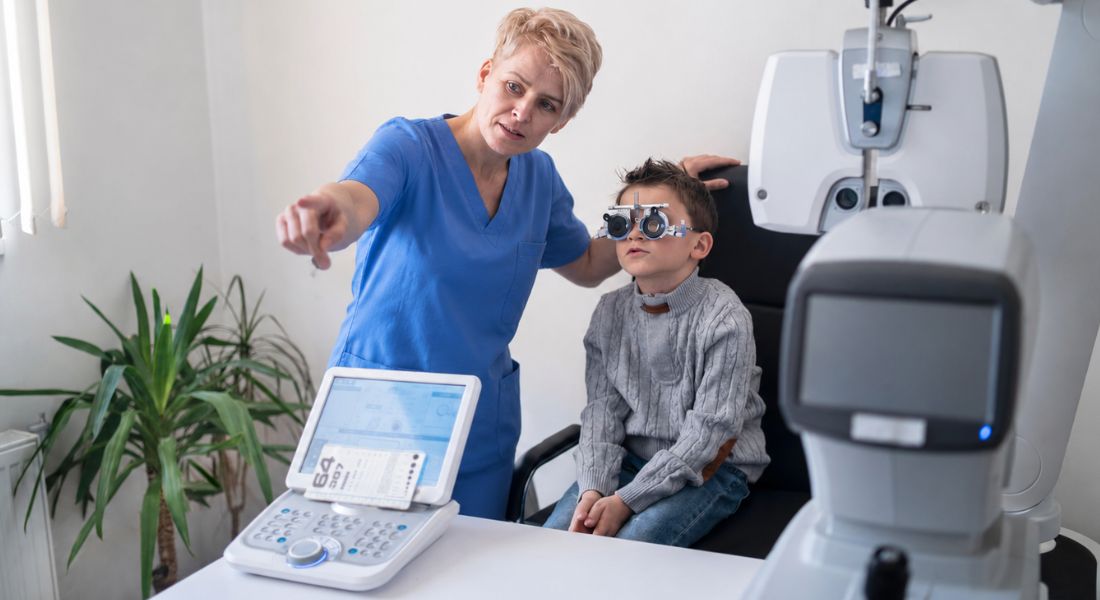
Children with uncorrected or undercorrected refractive errors are more likely to experience digital eye strain during prolonged screen use. If your child has myopia, hyperopia, or astigmatism, their eyes may need to work harder to focus clearly on a screen. This extra effort can lead to symptoms such as tired eyes, headaches, blurred vision, or reduced concentration. You may notice these problems more after homework, online learning, or recreational screen time.
Regular eye examinations are important because your child may not always realise that their vision is not clear. Instead, they may sit closer to the screen, squint, rub their eyes, or avoid reading and close-up tasks. An eye test can identify whether a refractive error is contributing to discomfort. With the right corrective lenses, screen use can become much more comfortable and less tiring.
Early detection and proper correction can make a meaningful difference to your child’s visual comfort. Glasses or updated prescriptions can reduce unnecessary strain and help your child focus more easily during digital learning and daily activities. If your child continues to complain of eye discomfort despite good screen habits, it is worth arranging a professional eye check. This can help protect their comfort, learning, and long-term visual development.
Binocular Vision Anomalies
Binocular vision anomalies can make digital eye strain worse because your child’s eyes may struggle to work together comfortably. One common example is convergence insufficiency, where the eyes have difficulty turning inwards properly during close-up tasks. When your child is using a screen, reading, or doing homework, this extra effort can quickly lead to visual fatigue.
Children with these conditions may complain of blurred vision, double vision, headaches, or tired eyes during near work. You may also notice your child losing concentration, rubbing their eyes, avoiding reading, or needing frequent breaks from screen-based tasks. These symptoms can sometimes be mistaken for poor attention, when the real issue may be visual discomfort.
Screening for binocular vision problems is important if your child regularly experiences discomfort during close-up work. If a problem is identified, your child’s specialist may recommend vision therapy, corrective lenses, or other supportive treatments depending on their needs. With the right care, your child can often feel more comfortable during screen use and function better during schoolwork and daily activities.
Myopia Progression and Digital Habits
There is growing evidence that extensive near work, including regular digital device use, may be linked to faster myopia progression in children. When your child spends long periods focusing on screens at close range, their eyes may be under continuous focusing demand. This can be especially important if your child already has myopia or a family history of short-sightedness. Over time, heavy screen habits may contribute to changes in how their vision develops.
Longitudinal studies suggest that children with higher daily screen time may experience faster increases in myopic refractive error. This does not mean screens are the only cause, but they may add to the overall visual load when combined with homework, reading, and limited outdoor activity. You may notice your child needing stronger prescriptions over time, especially if near work dominates their daily routine. Regular eye examinations can help monitor these changes and guide timely myopia control options.
Preventive strategies now focus on creating a healthier balance between screen use, study time, and outdoor activity. Encouraging your child to spend more time outdoors, take regular screen breaks, and avoid very close viewing distances can help reduce unnecessary strain. Regulated screen schedules are increasingly used as part of broader myopia control programmes. By managing digital habits early, you can support your child’s visual comfort and long-term eye health.
Role of Parental Awareness
Parental awareness plays an important role in preventing and managing digital eye strain in children. Because your child may not always explain discomfort clearly, you may be the first to notice changes in their behaviour, posture, or screen habits. Early support at home can help reduce symptoms before they become more persistent.
- Monitoring Screen Time: Keeping an eye on how long your child spends on screens can help reduce strain. Long sessions without breaks may increase tiredness, dryness, and discomfort. Setting sensible limits can make screen use healthier and more balanced.
- Encouraging Regular Breaks: You can help your child by reminding them to pause during screen use. Simple habits such as looking away from the screen every 20 minutes can reduce eye fatigue. Breaks also give the eyes time to relax and refocus.
- Recognising Signs of Strain: Children may show eye strain through rubbing their eyes, squinting, blinking more, or complaining of headaches. You may also notice them sitting too close to the screen or avoiding reading. These signs should not be ignored if they happen often.
- Using the 20-20-20 Rule: The 20-20-20 rule means looking at something about 6 metres away for 20 seconds every 20 minutes. This is a simple and practical way to reduce near-focus stress. It can be especially useful during homework or online learning.
- Building Healthy Screen Habits: Your guidance helps your child develop better long-term habits with digital devices. Good lighting, proper screen distance, regular breaks, and balanced outdoor time all support eye comfort. These small steps can make daily screen use safer.
Overall, parental awareness can make a real difference in reducing digital eye strain. When you monitor screen habits, recognise early symptoms, and encourage regular breaks, you help protect your child’s eye comfort and visual development. Consistent support at home is an important part of healthy screen use.
Technological Interventions
Some research is now exploring how technology itself can help reduce digital eye strain in children. Apps and software tools can remind your child to take regular breaks, adjust screen brightness, or use settings that reduce blue light exposure. These prompts can be useful because children often lose track of time when they are learning, gaming, or watching videos. Gentle reminders can help them pause before discomfort becomes more noticeable.
The evidence around these tools is still developing, so they should not be seen as a complete solution on their own. However, they may support healthier screen habits when used alongside practical changes such as better posture, suitable lighting, and regular eye breaks. For your child, this combination can make screen time feel more comfortable and easier to manage. It can also help reduce symptoms such as tired eyes, headaches, and blurred vision.
Technology works best when it is combined with education and routine. You can help your child understand why breaks matter, rather than simply setting limits without explanation. When schools and families use reminders, scheduled pauses, and balanced screen routines together, children are more likely to develop lasting habits. Over time, this can support better visual comfort and healthier digital behaviour.
Psychological and Academic Implications
Persistent digital eye strain can affect more than your child’s eye comfort. If your child regularly experiences headaches, blurred vision, or tired eyes, they may find it harder to concentrate during lessons or homework. Over time, this can reduce learning efficiency and make school tasks feel more frustrating. You may notice your child becoming tired, distracted, or less willing to complete screen-based work.
Visual discomfort can also affect your child’s confidence and engagement in the classroom. When reading from screens or completing online tasks becomes uncomfortable, your child may avoid certain activities or take longer to finish their work. This can sometimes be mistaken for poor motivation or lack of attention, when the real issue may be eye strain. Recognising this link is important so your child receives the right support.
Creating vision-friendly habits in educational settings can help protect both eye health and learning outcomes. You can support your child by encouraging regular breaks, good posture, comfortable lighting, and appropriate screen distances. Schools can also help by balancing digital tasks with offline activities where possible. When visual comfort is prioritised, your child is more likely to stay focused, engaged, and comfortable throughout the school day.
Emerging Research Directions
Future research is looking more closely at the long-term effects of digital screen use on children’s eye health. Researchers want to understand how repeated daily screen exposure may affect visual development over time, especially when your child spends many hours on close-up digital tasks. This includes studying how screen habits may interact with myopia development and other visual concerns. These findings may help guide safer screen recommendations in the future.
Another important area of research is the effectiveness of different interventions. Studies are exploring whether vision therapy, improved screen ergonomics, better lighting, and structured break routines can reduce symptoms of digital eye strain. For your child, these approaches may help make screen use more comfortable and less tiring. Researchers are also looking at which strategies work best for different age groups and visual needs.
Large-scale longitudinal studies are now being used to understand cumulative visual load more clearly. This means researchers are following children over time to see how screen use, near work, outdoor activity, and eye health are connected. As this evidence grows, you may see more personalised guidance for managing your child’s digital habits. The overall goal is to protect visual comfort, support healthy eye development, and reduce the risk of long-term problems.
Clinical Recommendations
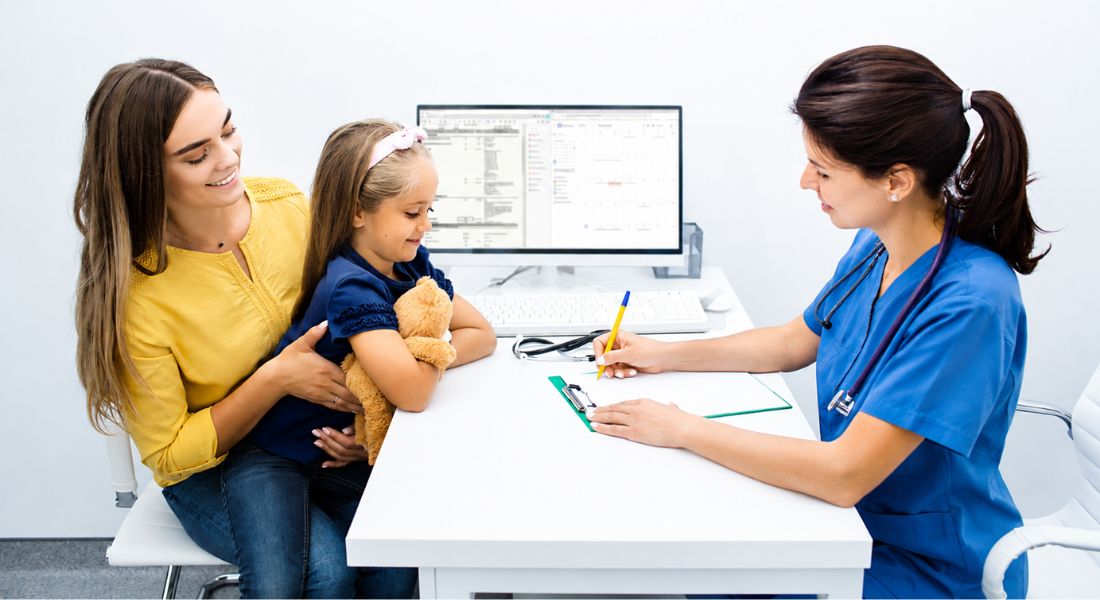
Recent studies support a practical and balanced approach to preventing digital eye strain in children. Regular eye examinations are important because they can detect refractive errors, binocular vision problems, and early signs of visual discomfort. If your child needs glasses or an updated prescription, correcting this early can make screen use much more comfortable. This can also help support better focus during schoolwork and digital learning.
Regulated screen time and structured breaks are also key parts of prevention. You can help your child by encouraging short pauses during homework, online lessons, gaming, or recreational screen use. These breaks allow the eyes to relax and refocus, reducing the risk of tired eyes, headaches, and blurred vision. Outdoor activity should also be encouraged, as it supports healthy visual habits and may help reduce the risk of myopia progression.
Clinical guidance should be tailored to your child’s age, screen habits, vision needs, and daily routine. Some children may only need better screen habits, while others may need glasses, vision therapy, or closer monitoring. By working with an eye care specialist, you can create a plan that supports your child’s comfort, learning, and long-term visual development. The goal is not to remove screens completely, but to help your child use them in a healthier and more sustainable way.
FAQs
- What is digital eye strain in children?
Digital eye strain happens when your child’s eyes become tired or uncomfortable after using screens for a long time. It can occur with tablets, phones, laptops, computers, and other digital devices. Common symptoms include blurred vision, headaches, dry eyes, tired eyes, and difficulty focusing after screen use. - Why are children more at risk of digital eye strain now?
Children are using screens more often for schoolwork, homework, entertainment, gaming, and social media. Because screen use is now part of daily life, their eyes may spend long periods focusing at close distances. Without regular breaks, good posture, and proper lighting, this can increase the risk of eye strain. - What are the common symptoms of digital eye strain in children?
Your child may complain of sore or tired eyes, blurred vision, headaches, dry eyes, or difficulty concentrating. Some children may also rub their eyes, blink less often, squint, or sit very close to the screen. Neck and shoulder pain can also happen if their posture is poor during screen use. - Can screen time affect my child’s vision development?
Long periods of near work, including digital screen use, may contribute to visual discomfort and may be linked with myopia progression in some children. Screen time alone is not the only factor, as genetics, outdoor time, and existing eye conditions also matter. However, balancing screen use with regular breaks and outdoor activity can support healthier visual development. - Does digital eye strain cause myopia?
Digital eye strain does not directly mean your child will develop myopia, but prolonged near work may be one of several factors associated with myopia progression. Children who spend less time outdoors and more time on close-up tasks may have a higher risk. Regular eye checks can help detect changes early and guide the right management plan. - How does screen use cause dry eyes in children?
When children look at screens, they often blink less frequently. Blinking helps spread tears across the surface of the eye, so reduced blinking can lead to dryness, irritation, and a gritty feeling. Encouraging your child to blink regularly and take short screen breaks can help reduce these symptoms. - Is blue light harmful to children’s eyes?
Blue light from screens may contribute to glare, visual discomfort, and sleep disruption, especially when screens are used close to bedtime. However, research is still ongoing into the long-term effects of blue light on children’s eyes. Reducing evening screen use, adjusting brightness, and using night mode settings may help improve comfort. - How can parents help prevent digital eye strain?
You can help by encouraging regular breaks, limiting continuous screen use, improving lighting, and making sure your child sits at a comfortable distance from the screen. The 20-20-20 rule can be useful: every 20 minutes, your child looks at something about 6 metres away for 20 seconds. Regular outdoor play and routine eye examinations are also important. - When should my child have an eye examination?
Your child should have an eye examination if they regularly complain of headaches, blurred vision, eye pain, dry eyes, or difficulty seeing clearly after screen use. You should also arrange an assessment if they squint, sit very close to screens, avoid reading, or struggle with concentration during near tasks. Early detection can help identify refractive errors or binocular vision problems. - Can digital tools help reduce eye strain?
Yes, some apps and software can remind your child to take breaks, adjust screen brightness, or reduce blue light exposure. These tools may be helpful, but they work best alongside healthy habits. Good screen posture, regular breaks, correct glasses if needed, and balanced screen time remain the most important steps.
Final Thoughts: Protecting Your Child’s Eyes in a Screen-Heavy World
Digital screens are now a normal part of childhood, from schoolwork and homework to gaming and entertainment. However, when your child spends long periods looking at screens without breaks, it can lead to tired eyes, headaches, dryness, blurred vision, and general discomfort.
The good news is that small daily changes can make a real difference. Encouraging regular breaks, improving lighting, checking screen distance, supporting outdoor time, and arranging routine eye examinations can all help protect your child’s visual comfort and development.
If you would like to know whether seeing a paediatric ophthalmologist in London is the right next step for your child, you can contact us at Eye Clinic London to book a consultation.
References:
- Bozzola, E. et al. (2024) ‘Media device use and vision disorders in the pediatric age’, Children, 11(11), 1408. Available at: https://www.mdpi.com/2227-9067/11/11/1408
- Kaur, K. et al. (2022) ‘Digital eye strain: a comprehensive review’, Ophthalmology and Therapy, 11, pp. 1655–1680. Available at: https://pmc.ncbi.nlm.nih.gov/articles/PMC9434525/
- Kaur, K., Gurnani, B., Nayak, S., Deori, N., Kaur, S., Jethani, J., Singh, D., Agarkar, S., Hussaindeen, J.R., Sukhija, J. and Mishra, D. (2022) ‘Digital Eye Strain: A Comprehensive Review’, Ophthalmology and Therapy, 11(5), pp. 1655–1680. Available at: https://pubmed.ncbi.nlm.nih.gov/35809192/
- Pucker, A.D., Kerr, A.M., Sanderson, J. and Lievens, C. (2024) ‘Digital eye strain: Updated perspectives’, Clinical Optometry, 16, pp. 233–246. Available at: https://pubmed.ncbi.nlm.nih.gov/39308959/
- Lem, D.W., Gierhart, D.L. and Davey, P.G. (2022) ‘Can nutrition play a role in ameliorating digital eye strain?’, Nutrients, 14(19), p. 4005. Available at: https://pmc.ncbi.nlm.nih.gov/articles/PMC9570730/